
Aviator follows a red plane as its multiplier rises, giving you the choice to collect before the flight ends. BET939 introduces the SPRIBE game to players in Pakistan who want to understand its two betting panels, automatic controls and result verification. This guide explains payout calculations, PKR limits and the differences between placing and collecting bets, helping you understand each control before joining a round.
Introducing Aviator by SPRIBE at BET939
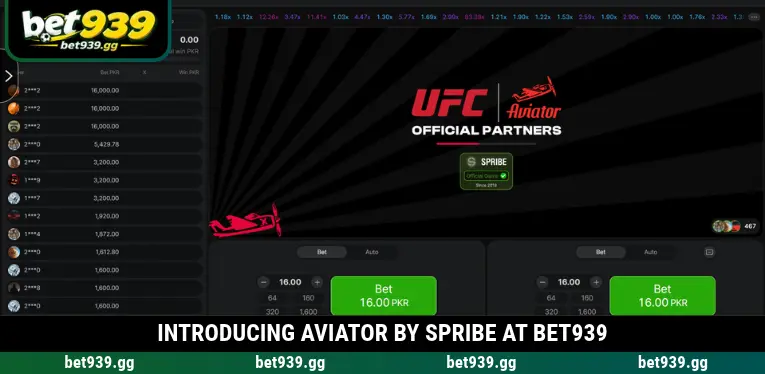
SPRIBE launched Aviator in February 2019, combining a red aircraft theme with multiplayer rounds built around an increasing multiplier. Its standout feature is the ability to place two bets on the same flight and collect each separately. BET939 players also have access to Auto Bet, Auto Cash Out and Provably Fair verification, with the displayed configuration summarised below.
| Item | Details |
| Developer | SPRIBE |
| Initial release | February 2019 |
| Theme | Red aircraft and a rising multiplier curve |
| Format | Multiplayer crash game |
| Published RTP | 97% |
| Simultaneous bets | Up to two per round |
| Supported devices | Desktop, tablet and mobile |
| Minimum bet in the displayed configuration | PKR 16 |
| Maximum bet in the displayed configuration | PKR 16,000 |
| Maximum win per bet in the displayed configuration | PKR 1,600,000 |
Flight Rules and How Payouts Work
In Aviator, submit your bet before the plane takes off. The multiplier starts at 1x and increases during the flight. A successfully collected bet pays the stake multiplied by its cashout multiplier. If the plane flies away before collection, the uncollected bet is lost. You can cancel a submitted bet using Cancel while the round has not yet started.
Two bets at BET939 share the same flight but have separate collection controls. Cashing out the first panel does not close the second. Players in Pakistan should follow each panel’s status independently and distinguish the published 97% RTP from a winning probability. RTP describes theoretical returns across extensive play; it does not promise a 97% repayment during an individual session.
Features That Shape the Playing Experience
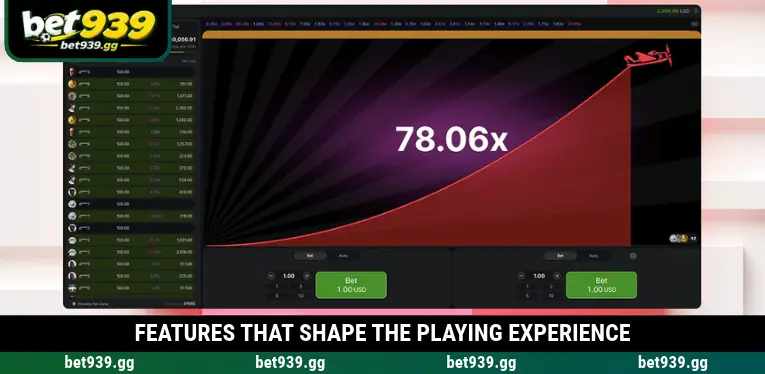
Aviator provides more than a single Bet and Cash Out button. These three features help BET939 members distinguish independent wager controls, automatic actions and tools for checking completed rounds before deciding how to operate the game.
Two Betting Panels With Separate Controls
You can use one panel or open the second to place two bets in the same round. Each panel has its own stake and Cash Out button, allowing collection at different multipliers. Both bets still share the flight’s endpoint, so dividing a wager between panels does not create two independent outcomes.
Auto Bet and Auto Cash Out
In the Auto tab, Auto Bet submits wagers automatically according to the active settings. It does not collect them unless Auto Cash Out is also enabled. Auto Cash Out collects a bet when its entered multiplier is reached. If the plane leaves earlier, the target remains unmet and the uncollected wager loses.
Provably Fair Result Verification
The Aviator rules state that the flight’s ending multiplier is generated before each round through its Provably Fair system. You can access the relevant settings through the game menu and check completed results using the verification icon. This process supports result checking; it does not reveal the next endpoint or identify a guaranteed cashout target.
Calculate Results Across Both Betting Panels
When using two panels, calculate profit against the combined amount wagered. Collecting one bet successfully may still leave an overall loss if the other bet loses. The following BET939 examples use two stakes of PKR 100 to distinguish individual payments from the round’s net result.
| First bet result | Second bet result | Combined stake | Total return | Net result |
| Collected at 1.50x | Lost | PKR 200 | PKR 150 | −PKR 50 |
| Collected at 2.00x | Lost | PKR 200 | PKR 200 | PKR 0 |
| Collected at 1.50x | Collected at 3.00x | PKR 200 | PKR 450 | +PKR 250 |
| Lost | Lost | PKR 200 | PKR 0 | −PKR 200 |
How to Play Aviator at BET939
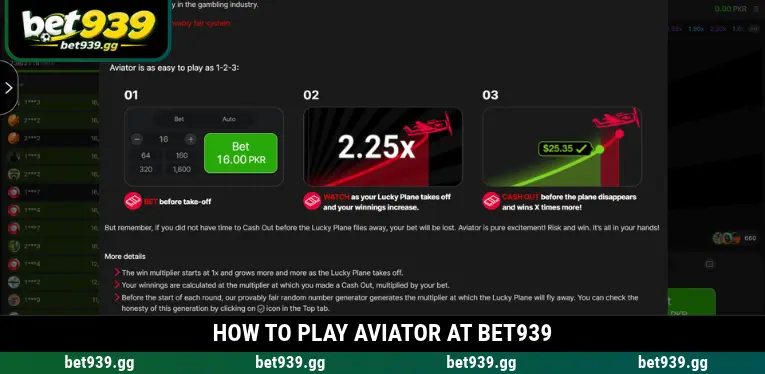
Before placing an Aviator bet, confirm the SPRIBE logo and open Limits to check the current configuration. Players in Pakistan can follow these five steps, particularly when using two panels or switching from manual betting to automatic controls.
- Select the correct game. Find the title in Mini Games and check the SPRIBE provider logo. Confirm the developer information after opening the game rather than relying on aircraft artwork alone.
- Enter the stake for each panel. Use the plus and minus controls, preset amounts or manual entry. If both panels are active, add their stakes together to identify the total committed to that round.
- Review the Auto tab. Distinguish Auto Bet from Auto Cash Out before enabling either function. Read the collection multiplier separately for every panel you intend to use.
- Submit before takeoff. Press Bet and watch for confirmation that the wager has been accepted. If you need to change it, use Cancel only while the round has not started.
- Collect and check the result. Cash out each wager before the plane leaves or allow its automatic setting to act. Open My Bets History afterwards to review the recorded outcome.
Practical Tips for Managing Two Bets
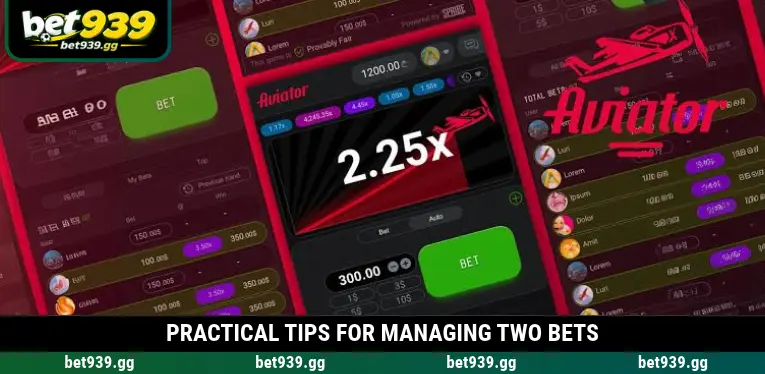
The two panels in Aviator provide separate controls, but they can also make the combined result easy to misread. These five checks help BET939 members understand their exposure, identify active wagers and avoid confusing automatic betting with automatic collection.
- Calculate break-even against both stakes. With two PKR 100 bets, collecting one at 1.50x and losing the other produces a PKR 50 loss. One winning panel does not mean the full amount wagered has been recovered.
- Check the panel still in play. After collecting the first bet, inspect the second panel’s button and status. A payment notification confirms that collection, rather than proving that every wager in the round has finished.
- Use Auto Cash Out for automatic collection. Enabling Auto Bet alone submits wagers without automatically collecting them. Check the setting on each active panel instead of assuming one automatic control performs both actions.
- Review your own betting history. My Bets History records your wagers and results, while All Bets and Top show broader activity. Another player’s large payment does not confirm your return or establish a target for the next flight.
- Ignore paid predictor claims. Past multipliers and Provably Fair verification do not disclose the next flight’s endpoint. A recent high result does not establish that the following round must finish lower, or that a low sequence must reverse.
FAQs About Aviator BET939
These answers cover connection interruptions, display settings and account transactions. Check the current game rules and recorded bet status when reviewing a particular round.
What Happens if My Connection Drops During an Active Aviator Bet?
The supplied rules state that an interrupted connection triggers automatic cashout at the current multiplier, with winnings added to the balance. After reconnecting, check My Bets History for the recorded settlement rather than relying on the last number visible.
Can I Turn Off the Animation or Sound?
Yes. The game menu includes separate switches for animation, sound and music. These change the presentation rather than the round’s predetermined endpoint, so disabling effects does not improve your chance of winning.
Where Can I Check My Aviator Free Bets?
Open Game Menu and select Free Bets to view their status. Availability depends on rewards actually issued through the operator or an applicable feature; opening this section does not itself award complimentary wagers.
What Happens if a Technical Malfunction Affects a Round?
Under the supplied rules, affected bets and payouts are voided following a gaming hardware or software malfunction, and affected stakes are refunded. Connection interruptions and ordinary losing rounds have separate settlement conditions.
Is Aviator Cash Out the Same as an Account Withdrawal?
No. Cash Out settles an active wager and credits the resulting payment to the balance. Withdrawing money from BET939 is a separate transaction handled through the platform’s withdrawal process.
Conclusion
Aviator combines rising flight multipliers with two betting panels, Auto Bet and Auto Cash Out. Calculate results against the total staked, verify each collection and use Provably Fair to check completed rounds. Previous multipliers cannot guarantee the next flight, and both bets share the same endpoint. Visit BET939 now to open the SPRIBE game, review its current limits and start playing with settings you have checked.

Maya Ali is a lead gaming strategist and sports analyst at BET939, specializing in cricket exchange betting, live casino strategies, and slot games. Her guides provide Pakistani players with safe Easypaisa and JazzCash transaction tips alongside actionable betting insights to elevate their overall gaming experience. Follow her latest articles on BET939 to play smart, stay ahead of the game, and maximize your winning potential.